
- HubSpot & CRM Strategy
- 4 mins
A practical look at the HubSpot tools that turn passive website traffic into contacts your team can actually follow up with.
Traffic Is Not the Same as Leads
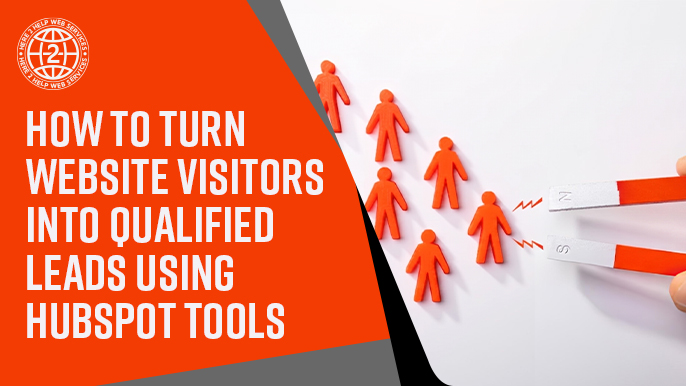
A lot of small businesses put real effort into driving traffic to their website. They write blog posts, run ads, show up on social media, and work on their search rankings. Then they check their analytics, see a healthy number of visitors, and wonder why so few of those people ever turn into an actual lead. The honest answer is usually that traffic and leads are two different problems. Getting people to your website is only half the job. The other half is giving them a clear, easy way to become known to your business, and that is where a lot of small business websites fall short.
HubSpot has a set of tools built specifically for this second half of the problem. Used well, they turn a website from a static brochure into something that actively captures interest and feeds it directly into your CRM. Here is how the pieces fit together.
Forms That Do More Than Collect an Email
Forms are often the first thing people think of when it comes to lead capture, but not all forms are created equal. A form that simply asks for a name and email address on a generic contact page will collect some leads, but it will not tell you much about who those people are or what they are interested in. HubSpot forms let you get more strategic, asking a question or two that actually helps your sales team understand the visitor's situation before the first conversation even happens.
The key is matching the form to the context. A visitor downloading a detailed guide is further along than someone just browsing your homepage, so it makes sense to ask more of them. A visitor on your homepage who is not ready to commit to anything yet should get a lighter, lower friction form. Thinking about where a form sits in someone's journey, rather than using the same form everywhere, makes a real difference in both completion rates and lead quality.
CTAs and Where to Actually Place Them
A call to action, or CTA, is the button or link that invites someone to take the next step, whether that is downloading a resource, booking a call, or signing up for something. Many small business websites either have too few CTAs, or they place the same generic one everywhere without thinking about what a visitor on that particular page actually needs. A blog post about a specific topic should offer something related to that topic, not a generic link to the homepage.
HubSpot makes it fairly simple to build and place CTAs directly within blog posts, landing pages, and emails, and to track how each one performs. Paying attention to which CTAs get clicked and which ones get ignored gives you real information about what your audience actually wants next, rather than guessing.
Landing Pages Built for One Purpose
A landing page is different from a regular website page because it has a single job: get the visitor to take one specific action. No navigation menu pulling them away, no competing links, just a clear offer and a clear next step. This focus is exactly why landing pages tend to convert better than a general page trying to do everything at once.
HubSpot's landing page tools let you build these pages without needing a developer for every change, and because they live inside the same platform as your CRM, every submission connects automatically to a contact record. That connection is what makes the whole system work together instead of operating as separate disconnected pieces.
What the Tracking Code Actually Does
The HubSpot tracking code is a small piece of code installed on your website that lets HubSpot see what visitors are doing, which pages they view, how long they stay, and what they click on. It sounds technical, but the practical value is simple. Once a visitor becomes a known contact, whether through a form or another way, that browsing history gets attached to their record. Your sales team can walk into a conversation already knowing which pages that person looked at, which is a much stronger starting point than a cold introduction.
How Lead Capture Connects Back to the CRM
The real value of all these tools comes from how automatically they connect once they are set up correctly. A form submission does not just send an email notification and stop there. It creates or updates a contact record, applies any relevant properties, and can trigger a workflow that notifies the right team member or starts a follow-up sequence. This is very different from a contact form that just lands in someone's inbox and depends on a person remembering to act on it.
Getting this connection right is part of what makes the difference between a website that generates a handful of leads and one that reliably feeds new contacts into your pipeline. If your forms and CTAs are already strategically placed and your landing pages are focused, the CRM connection is the piece that turns that captured interest into something your team can actually act on.
Testing and Refining Over Time
It is worth saying clearly that none of these tools need to be set up perfectly the first time. Forms can be adjusted after you see how people respond to them. CTAs can be swapped out if one is consistently outperforming another. Landing pages can be rebuilt as you learn more about what actually resonates with your visitors. Treating lead capture as something to refine, rather than something to finish once and never touch again, is often what separates a website that generates a handful of leads from one that becomes a genuinely reliable source of new business.
A simple way to start is by picking one page, usually your homepage or your highest traffic blog post, and paying close attention to how it performs over the next month. Small, deliberate changes based on real behavior tend to move the needle more than a complete redesign done all at once.
Building the System, Not Just the Pieces
None of these tools need to be perfect on the first try. The businesses that get the most out of their website are the ones that treat lead capture as a system worth refining over time, watching what converts, adjusting what does not, and paying attention to how well each piece connects to the next. At Here 2 Help Services, we spend a lot of time helping small businesses connect these dots, because a website that quietly turns visitors into qualified leads is one of the most valuable assets a small business can have.