
- HubSpot & CRM Strategy
- 7 mins
How connecting your website and HubSpot CRM turns two separate tools into one lead-generating, revenue-tracking system that works for your business around the clock
Most small businesses have a website. Most small businesses using HubSpot also have a CRM. What far fewer have is a meaningful connection between the two.
When your website and HubSpot operate independently, you are leaving a significant amount of value on the table. Visitors come and go without being captured. Leads submit forms but disappear into inboxes rather than your CRM. Marketing activity happens, but nobody can clearly tie it to revenue.
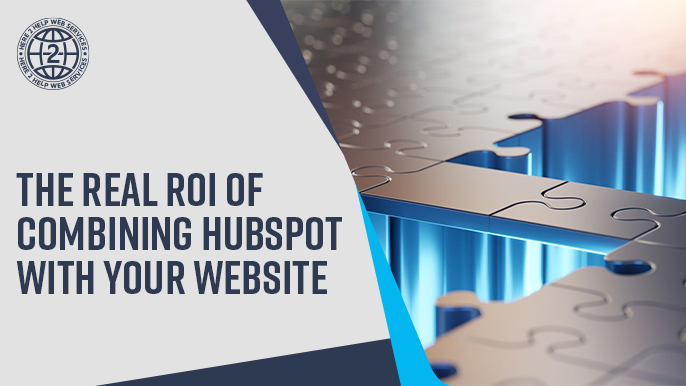
When those two systems are properly connected, the picture changes entirely. Your website becomes an active part of your sales process rather than a passive digital brochure. Every visit, form submission, and click can feed into a system that helps your team follow up faster, segment smarter, and close more consistently.
This post breaks down what that connection actually looks like in practice, what you gain from it, and why the return on investment goes well beyond anything either tool delivers on its own.
The Problem with Running Them Separately
A website without CRM integration is essentially a one-way broadcast. You put information out, visitors read it, and then most of them leave without a trace. You may get a form submission here and there, but without a connected system, that data lands in an inbox and requires manual handling every step of the way.
A CRM without website data has a similar blind spot. You can track what happens to a lead after they contact you, but you cannot see what they did before. You do not know which pages they visited, what content they engaged with, or what brought them to you in the first place. That context matters, and without it, your follow-up is less targeted than it could be.
Running both tools without connecting them means your team is filling in gaps manually, making assumptions instead of using data, and spending more time on administrative work than necessary.
What the Connection Actually Enable
When your website and HubSpot are properly integrated, a number of things start working together that were previously disconnected.
Every Form Becomes a CRM Entry
When a visitor fills out a contact form, a quote request, or a newsletter signup on your website, that information flows directly into HubSpot. A contact record is created or updated automatically. No manual data entry. No risk of the submission sitting unread in someone's inbox.
From there, a workflow can immediately assign that contact to the right team member, send an acknowledgment email, and create a follow-up task. What used to take several manual steps happens in seconds.
You Know Who Is on Your Site and What They Care About
Once a contact exists in HubSpot, the tracking code on your website begins building a picture of their behavior. Which pages did they visit? How many times have they come back? Did they read your pricing page or spend most of their time on a specific service?
This behavioral data gives your sales team context that changes how they approach a conversation. Instead of a cold follow-up, they can reach out knowing exactly what the prospect has shown interest in.
Your CTAs and Landing Pages Work Harder
HubSpot's native forms, calls-to-action, and landing pages are built to work with the CRM from the start. When you use them on your website, every interaction is tracked and connected to a contact record automatically.
You can also test different versions of your CTAs, see which ones convert best, and make adjustments without needing a developer. That kind of visibility and control is difficult to achieve when your website and CRM are operating as separate systems.
You Can Finally Track What Is Working in Your Marketing
One of the most common frustrations we hear from small business owners is that they are investing in marketing but cannot tell what is actually driving results. When your website and HubSpot are connected, that changes. You can see which pages drive the most form submissions, which traffic sources bring in the best leads, and which campaigns are contributing to closed deals. We covered how HubSpot's reporting tools support this kind of decision-making in our post on how HubSpot dashboards reveal what is really working in your marketing.
Where the ROI Shows Up
The return on investment from connecting your website and HubSpot is not always a single dramatic number. It tends to show up across several areas at once, and the combined effect is what makes it significant.
Time Savings
When data flows automatically between your website and CRM, the manual work of copying form submissions, creating contact records, and distributing leads goes away. For a small team, this can free up several hours per week that are better spent on actual sales and service work.
Faster Response Times
Speed of follow-up has a direct impact on conversion rates. When a new lead submits a form and immediately receives an acknowledgment while your team gets a notification and a task, the gap between inquiry and response shrinks considerably. That speed creates a better impression and increases the likelihood that the conversation continues.
Fewer Leads Slipping Through
Without integration, leads can get lost in the gap between your website and your CRM. Someone submits a form, it lands in an inbox, and in a busy week it gets buried before anyone follows up. When everything flows directly into HubSpot and triggers automatic next steps, that gap closes.
Better Marketing Decisions
When you can see which pages, campaigns, and channels are actually producing results, you can stop guessing and start making smarter investments. Over time, this kind of visibility can shift your marketing spend toward what is working and away from what is not, which has real financial value even if it is harder to quantify immediately.
What This Looks Like for a Small Business
Consider a small service-based business that gets most of its leads through its website. Before integration, a prospect fills out a contact form, the owner gets an email notification, manually creates a contact in HubSpot, assigns a follow-up task to themselves, and tries to remember to check back in a few days. Every step requires attention and memory.
After integration, the same form submission creates a contact in HubSpot automatically, triggers an immediate acknowledgment email to the prospect, assigns the lead to the right team member, creates a follow-up task with a due date, and logs the prospect's page history so the owner can see what they looked at before reaching out.
The prospect's experience is faster and more professional. The experience for the business owner is less manual work and less risk of something falling through the cracks. That shift adds up considerably over weeks and months.
If your website is not yet playing an active role in your lead generation, it is worth exploring what is possible. Our post on the role of your website in HubSpot lead generation walks through how the connection between your site and your CRM can turn passive traffic into active leads.
Two Tools Are Better Than One, When They Are Actually Connected
Your website and HubSpot are each valuable on their own. But when they are working together, they create something more useful than either one delivers separately: a system that captures leads automatically, gives your team the context they need to follow up well, and provides the reporting to understand what is driving your growth.
For small teams, that kind of connected system is not a luxury. It is one of the most practical investments you can make in your business infrastructure. You do not need a large budget or a full marketing department to benefit from it. You need the right setup and a clear understanding of what you want the system to do.
At Here 2 Help Services, we help small businesses and growing teams build that connection thoughtfully, making sure the setup reflects how the business actually operates and what the team actually needs. If you are curious about what a well-connected website and HubSpot setup could look like for your business, it often starts with a simple look at where your leads are coming from today and what happens to them after they arrive.